
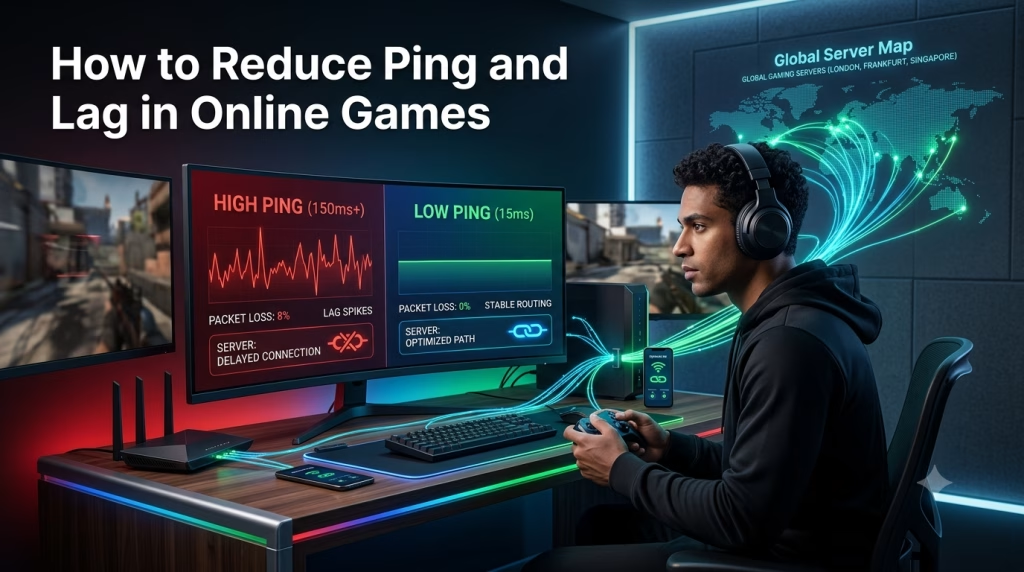
How to Reduce Ping and Lag in Online Games in 2026
This article contains affiliate links. If you sign up or purchase through our link, we may earn a commission at no extra cost to you. Our goal is to review SaaS tools, digital platforms, and practical software solutions that may help users solve real online performance problems.
Online gaming can be exciting, competitive, and rewarding — until lag ruins the experience.
You may be playing Fortnite, Call of Duty, PUBG, Roblox, Mobile Legends, EA FC, Valorant, Apex Legends, Free Fire, Genshin Impact, Warzone, or another online multiplayer game. Everything may look normal at first. Then suddenly, your character freezes. Your shot registers late. Your opponent appears before you can react. Your ping jumps. Your game stutters. You lose a match you could have won.
For many gamers, this is one of the most frustrating experiences.
The confusing part is that lag can happen even when your internet speed looks good. You may run a speed test and see decent download speed, but your game still feels delayed. That is because online gaming depends on more than internet speed. It depends on ping, packet loss, jitter, routing, server distance, local Wi-Fi quality, background traffic, and the stability of your connection to the game server.
ALSO, READ Best Gaming SaaS Tools and Game Booster Apps in 2026
This is why network optimization tools have become popular among gamers.
A tool like GearUP Booster is designed to optimize game routing for PC, mobile, and console/router players. GearUP’s official website says it helps reduce high ping, packet loss, jitter, and unstable cross-region connections while focusing on connection optimization only, not gameplay changes.
In this article, we will explain how to reduce ping and lag in online games using network optimization tools, basic router fixes, device settings, server selection, and practical troubleshooting methods.
If your game lags because of high ping, packet loss, or unstable routing, you can test GearUP Booster here:
What Is Ping in Online Gaming?
Ping is the time it takes for your device to send data to the game server and receive a response.
It is usually measured in milliseconds, also written as ms.
The lower your ping, the faster your game responds.
The higher your ping, the more delay you feel.
For example:
A player with 30ms ping usually has a fast response.
A player with 80ms ping may still have a playable experience.
A player with 150 ms ping may notice a delay.
A player with 250ms ping may experience serious lag.
This matters because online games are constantly sending and receiving data. Every movement, shot, pass, jump, skill, dodge, or command must travel between your device and the server.
When ping is high, your actions reach the server late. That delay can affect competitive gameplay.
In shooting games, high ping can affect hit registration.
In football games, it can affect passing and tackling.
In battle royale games, it can affect reaction time.
In MOBA games, it can affect skill timing.
In racing games, it can affect control response.
A lower ping gives you a more responsive experience. But ping is not the only issue. Even if your average ping looks okay, your game can still lag because of packet loss, jitter, or unstable routing.
What Is Lag in Online Gaming?
‘Lag’ is a general word gamers use when gameplay feels delayed, unstable, slow, or broken.
However, not all lag is the same.
There are different types of lag:
Network lag
FPS lag
Input lag
Server lag
Device lag
Wi-Fi lag
Understanding the difference is important because each type has a different solution.
Network Lag
Network lag happens when there is a delay between your device and the game server.
Signs include:
High ping
Packet loss
Rubberbanding
Delayed shots
Teleporting players
Late response
Disconnection
Lag spikes
Network lag is the main type of lag that network optimization tools can help with.
FPS Lag
FPS lag happens when your device cannot render the game smoothly.
Signs include:
Low frame rate
Stuttering visuals
Slow movement
Screen freezing
Game struggling even offline
Overheating
Graphics delay
FPS lag is usually caused by weak hardware, high graphics settings, poor cooling, outdated drivers, or too many background apps.
A network booster may not solve FPS lag.
Server Lag
Server lag happens when the game company’s servers are overloaded, down, under maintenance, or experiencing technical issues.
If many players are affected at the same time, the problem may not be from your device or internet. It may be the game server.
Wi-Fi Lag
Wi-Fi lag happens when your local wireless connection is unstable.
This can happen if:
You are far from the router.
There are too many walls between you and the router.
Many people are using the same network.
Your router is old.
Your Wi-Fi channel is congested.
You are using 2.4GHz Wi-Fi in a noisy environment.
Before paying for any tool, you should first identify what kind of lag you are experiencing.
Why Your Game Lags Even When Your Internet Speed Is Good
Many gamers make one mistake: they judge gaming performance only by download speed.
Download speed matters for downloading games, updates, patches, and files. But online gaming does not usually require massive download speed. What it needs most is stable latency.
You can have fast internet and still experience lag if:
Your ping is high.
Your ISP routing is poor.
Your game server is far away.
Your connection has packet loss.
Your ping is unstable.
Your Wi-Fi signal is weak.
Your router is congested.
Background apps are using bandwidth.
Your ISP has poor international routes.
The game server is overloaded.
This explains why someone with 20 Mbps can sometimes play smoothly while another person with 100 Mbps suffers from lag. The second person may have a faster download speed, but worse routing, higher ping, or packet loss.
In online gaming, stability is more important than speed alone.
What Is Packet Loss?
Packet loss happens when some of your data fails to reach the game server or fails to return properly to your device.
When you play online, your device sends small packets of data to the game server. These packets carry information about your movement, actions, position, attacks, and other gameplay details.
If some packets are lost, the game becomes unstable.
Signs of packet loss include:
Rubberbanding
Teleporting players
Shots not registering
Delayed movement
Sudden freezing
Characters jumping backward
Disconnections
Unstable gameplay
Packet loss can make a game feel worse than high ping. A stable 90ms ping may be playable, but packet loss can make even a low-ping connection feel broken.
GearUP’s official homepage lists packet loss as one of the problems it is designed to reduce, along with high ping, jitter, and cross-region instability.
What Is Jitter?
Jitter means your ping is unstable.
For example, your ping may move like this:
60ms
75ms
180ms
90ms
240ms
70ms
That constant jumping creates lag spikes.
A stable connection is very important in online games. Sometimes, stable 100ms ping feels better than a connection that jumps between 40ms and 250ms.
Jitter can be caused by:
Wi-Fi instability
ISP congestion
Poor routing
Network overload
Bad router
Peak-hour internet traffic
Background downloads
Server distance
Packet loss
Network optimization tools may help if jitter is caused by poor routing between your device and the game server. But if jitter is caused by your local Wi-Fi or router, you need to fix that first.
What Are Network Optimization Tools?
Network optimization tools are software products designed to improve the path between your device and the game server.
They do not usually increase your raw internet speed. Instead, they try to improve the route your gaming data follows.
A game network optimization tool may help with:
High ping
Packet loss
Jitter
Lag spikes
Cross-region instability
Poor ISP routing
Unstable server routes
Game connection drops
GearUP’s official support article explains its approach simply: it can avoid congested routes and re-route to a dedicated pathway, to lower latency and improve stability.
This is why game boosters are not the same as normal speed boosters or storage cleaners.
A normal phone cleaner may close background apps.
A PC optimizer may free system memory.
A VPN may encrypt your traffic for privacy.
A network optimizer focuses on routing and latency.
You can [check out GearUP Booster here] if you want to test a gaming network optimization tool with your own game and internet provider.
How Network Optimization Tools Reduce Ping and Lag
Network optimization tools usually work by improving how your game traffic travels across the internet.
When you connect to a game server, your ISP chooses a route. But that default route may not be the best route. It may be congested, unstable, or unnecessarily long.
A network optimization tool attempts to find a better route.
Here are the major ways it can help:
1. Better Routing
The tool may route your game traffic through a more optimized pathway.
This can reduce unnecessary delays caused by poor ISP routing.
2. Reduced Congestion
If your normal route is congested, a dedicated or optimized route may help avoid some traffic problems.
3. More Stable Connection
The tool may help reduce sudden ping jumps by keeping traffic on a more stable route.
4. Lower Packet Loss
If packet loss is happening along a poor route, switching to a better route may reduce it.
5. Better Cross-Region Play
If you are playing on foreign servers, optimized routing may improve stability.
This is especially useful for gamers in countries where game servers are far away.
How GearUP Booster Helps Reduce Ping and Lag
GearUP Booster is one of the tools designed specifically for gaming network optimization.
According to GearUP’s official website, it optimizes game routing for PC, mobile, and console players, helping reduce high ping, packet loss, jitter, and unstable cross-region connections. GearUP also states that it supports over 3,000 games and has more than 8 million monthly active users.
Its Google Play listing says GearUP uses patented server technology and specialized servers worldwide to create a better network environment for stable gaming connections.
In practical terms, this means GearUP may help if your game is lagging because of routing problems.
For example, if you are playing from Nigeria and connecting to a European server, your traffic may pass through a poor international route. GearUP may help find a better route for your game traffic.
This does not guarantee perfect results for everyone.
Your experience will still depend on:
Your ISP
Your country
Your game
Your chosen server
Your device
Your Wi-Fi or cable connection
Time of day
Server congestion
But if your main issue is high ping, packet loss, jitter, or cross-region instability, GearUP is worth testing.
Want to test GearUP Booster?
If your online games lag because of high ping, packet loss, jitter, or unstable server routing, GearUP may help you compare a better gaming route.
Network Optimization Tool vs VPN: What Is the Difference?
Many gamers confuse game boosters with VPNs.
They are not the same.
A normal VPN is mainly built for:
Privacy
Encryption
IP masking
Secure browsing
Location changing
Accessing restricted content
A game network optimization tool is mainly built for:
Lower ping
Reduced packet loss
Better routing
More stable gameplay
Cross-region gaming improvement
Lag reduction
A VPN can sometimes help with gaming if it accidentally gives you a better route. But many VPNs can also increase ping because your traffic has to pass through another encrypted server.
GearUP’s official material positions the product as connection optimization for games, not a general privacy tool or gameplay modification service.
So the question is simple:
If you want privacy, use a VPN.
If you want lower ping and more stable gameplay, test a game network optimizer.
If your issue is low FPS, use a performance optimizer or upgrade your device.
Best Ways to Reduce Ping and Lag in Online Games
A network optimization tool can help, but you should also apply basic fixes. Sometimes, simple changes can make a big difference.
1. Use Ethernet Instead of Wi-Fi
If you play on PC or console, Ethernet is usually better than Wi-Fi.
A wired connection is more stable because it avoids wireless interference. Wi-Fi can be affected by walls, distance, other devices, signal strength, and router quality.
Ethernet can reduce jitter, packet loss, and random lag spikes.
2. Move Closer to Your Router
If you must use Wi-Fi, move closer to the router.
The farther you are from your router, the weaker your signal may become. Walls, doors, and electronics can also reduce signal quality.
For mobile gamers, this can make a big difference.
3. Use 5GHz Wi-Fi When Possible
Many routers offer 2.4GHz and 5GHz Wi-Fi.
2.4GHz travels farther but is often more crowded.
5GHz is faster and less congested but has shorter range.
For gaming, 5GHz may be better if you are close to the router.
4. Close Background Downloads
Downloads can ruin gaming performance.
Before playing, pause:
Game updates
Windows updates
Cloud backups
Streaming downloads
App updates
Large file transfers
Torrent downloads
Even if your internet is fast, background downloads can create ping spikes.
5. Choose the Nearest Game Server
Always choose the nearest available game server.
If you are in Nigeria, a European server may be better than a North American server for many games. If you are in East Africa, Middle East or Asian servers may sometimes perform better depending on routing.
Test different server regions and compare ping.
6. Restart Your Router
A simple router restart can sometimes fix temporary congestion, memory issues, or poor connection behavior.
Unplug your router, wait about 30 seconds, and plug it back in.
7. Update Your Game and Device
Outdated games, drivers, and operating systems can cause performance problems.
PC gamers should update graphics drivers, network drivers, Windows, and game clients.
Mobile gamers should update their games and operating systems.
8. Stop Other People from Overloading the Network
If other people are streaming, downloading, video calling, or uploading large files on the same connection, your game may lag.
Gaming needs stable latency. Shared heavy usage can cause lag spikes.
9. Use a Network Optimization Tool
After fixing the basics, test a gaming network optimizer like GearUP if your issue continues.
This is especially useful when:
Your internet speed looks fine.
Your ping is still high.
You have packet loss.
You play on foreign servers.
Your ISP routing seems poor.
Your game lags only online.
Best Solution for Nigerian and African Gamers
Gamers in Nigeria and Africa often face a different challenge from gamers in regions with nearby servers.
Many popular games do not have local servers in every African country. Because of that, players may connect to Europe, the Middle East, Asia, or South Africa, depending on the game.
This can create higher ping.
For example:
A Nigerian gamer may connect to European servers.
A Ghanaian gamer may connect to Europe.
A Kenyan gamer may connect to Middle East or Asian servers.
A South African gamer may get better results in some games, but not all.
A North African gamer may have different routing depending on the ISP.
The problem is not only distance. ISP routing also matters.
Two gamers in the same city can have different ping because their ISPs route traffic differently. One ISP may have better international routing. Another may send traffic through congested paths.
This is why network optimization tools can be useful.
GearUP may be worth testing for Nigerian and African gamers because it is built around game routing optimization and cross-region stability. GearUP’s official homepage specifically mentions reducing cross-region instability, high ping, packet loss, and jitter.
If you are gaming from Nigeria or Africa and your main issue is high ping or unstable foreign servers, you can try GearUP Booster and compare your gameplay before and after using it.
However, do not depend only on the tool. Also, improve your local setup:
Use strong Wi-Fi or Ethernet.
Avoid overloaded networks.
Choose the closest server.
Test different ISPs if possible.
Avoid playing during peak congestion.
Close background apps.
Keep your device cool.
The best result comes from combining better local setup with better routing.
How to Test Whether a Network Optimization Tool Works
Before paying for any tool, test it properly.
Here is the best method:
Step 1: Test Without the Tool
Open your game normally.
Check your ping.
Play one or two matches.
Observe:
Lag spikes
Packet loss
Rubberbanding
Delayed response
Freezing
Disconnections
Write down your experience.
Step 2: Turn On the Network Optimizer
Open the tool.
Choose your game.
Select the correct server region.
Activate the boost or optimization.
Step 3: Test the Same Game Again
Use the same internet connection.
Play the same game mode.
Use the same server region.
Test around the same time of day if possible.
Step 4: Compare the Results
Ask yourself:
Did my ping reduce?
Did my ping become more stable?
Did packet loss reduce?
Did lag spikes reduce?
Did rubberbanding stop?
Did the game feel smoother?
Did I disconnect less?
Was the improvement worth paying for?
This is the fairest way to judge any game booster.
Do not rely only on reviews. Your own ISP, country, device, and game server matter.
Common Mistakes Gamers Make When Trying to Reduce Lag
Mistake 1: Thinking Speed Test Is Everything
A speed test only tells part of the story. Gaming needs stable ping, low packet loss, and consistent routing.
Mistake 2: Using a Far Server
If you choose a server too far from your country, your ping will usually increase.
Mistake 3: Playing on Weak Wi-Fi
Weak Wi-Fi can cause lag spikes even if your internet plan is fast.
Mistake 4: Ignoring Background Apps
Downloads, cloud backups, and streaming apps can increase ping.
Mistake 5: Confusing FPS Lag With Network Lag
If your device is weak, a network booster will not fix low FPS.
Mistake 6: Expecting a Tool to Perform Miracles
A game booster can help with routing, but it cannot fix every internet or device problem.
Mistake 7: Not Testing Before Paying
Always test before committing to a paid plan.
When GearUP Booster May Not Help
GearUP is useful for network-related gaming issues, but it cannot fix every problem.
It may not help much if:
Your device is too weak.
Your game server is down.
Your ISP is having an outage.
Your Wi-Fi signal is extremely poor.
Your router is faulty.
Your phone is overheating.
Your PC has low FPS.
Your game settings are too high.
Your connection disconnects completely.
Your region has no good route to the server.
This is why you should treat GearUP as a network optimization tool, not a magic fix.
Some users may see strong improvement, while others may see limited results. A Reddit discussion from players testing GearUP showed mixed results, with some users saying their trial experience was inconsistent for their specific server situation.
This does not mean the tool is useless. It means results depend on real network conditions.
How to Know Whether Your Problem Is Network Lag or FPS Lag
Here is a simple test:
If your game stutters offline, it is probably FPS or device lag.
If your game runs smoothly offline but delays online, it is probably network lag.
If your ping number is high, it is network-related.
If your ping jumps up and down, it may be jitter.
If players teleport or your character rubberbands, it may be packet loss.
If your screen freezes during heavy graphics scenes, it may be FPS lag.
If your phone becomes hot and slows down, it may be thermal throttling.
If your game disconnects only when many people use the Wi-Fi, it may be network congestion.
Once you identify the problem, you can choose the right fix.
Practical Setup for Smoother Online Gaming
For the best results, combine several fixes.
For PC Gamers
Use Ethernet.
Update graphics and network drivers.
Close background apps.
Use the nearest server.
Lower graphics settings if FPS is low.
Use a network optimizer if ping remains high.
Restart your router before long gaming sessions.
Avoid downloading while gaming.
For Mobile Gamers
Use strong Wi-Fi or stable mobile data.
Close background apps.
Lower graphics settings if the phone overheats.
Keep the phone cool.
Avoid gaming while charging if overheating occurs.
Choose the closest server.
Test a mobile-supported optimizer if ping is high.
For Console Gamers
Use Ethernet where possible.
Restart router before gaming.
Use router QoS settings if available.
Avoid shared network overload.
Choose the correct server region.
Use supported router-based optimization tools if needed.
Final Verdict: Can You Really Reduce Ping and Lag?
Yes, you can reduce ping and lag in many cases, but the solution depends on the cause.
If your lag is caused by weak Wi-Fi, fix your local connection.
If your lag is caused by background downloads, stop them.
If your lag is caused by a far server, choose a closer server.
If your lag is caused by low FPS, optimize your device or lower graphics settings.
If your lag is caused by poor routing, packet loss, jitter, or cross-region instability, a network optimization tool like GearUP Booster may help.
GearUP is not a guaranteed magic solution, but it is worth testing if your problem is high ping, packet loss, jitter, lag spikes, or an unstable connection to game servers.
For gamers, streamers, and creators who depend on stable gameplay, the right network optimization tool can make a noticeable difference.
If your game lags even when your internet speed looks fine, your problem may be routing, packet loss, or unstable server connection.
Reduce ping with GearUP Booster:Frequently Asked Questions
Frequently Asked Questions
The best way is to use a stable internet connection, choose the nearest server, avoid background downloads, use Ethernet where possible, and test a network optimization tool if your ISP routing is poor.
Can a game booster reduce ping?
A game booster can reduce ping if your high ping is caused by poor routing, congestion, or unstable paths to the game server. Results vary depending on your location, ISP, game, and server.
Is GearUP Booster a VPN?
GearUP is not mainly a traditional privacy VPN. It is a game network optimization tool focused on reducing ping, packet loss, jitter, and cross-region instability.
Why is my ping high even with fast internet?
Your ping can be high because of server distance, poor ISP routing, packet loss, jitter, Wi-Fi problems, network congestion, or overloaded game servers.
Does Ethernet reduce lag?
Ethernet can reduce Wi-Fi-related lag, jitter, and packet loss because it provides a more stable connection than wireless.