
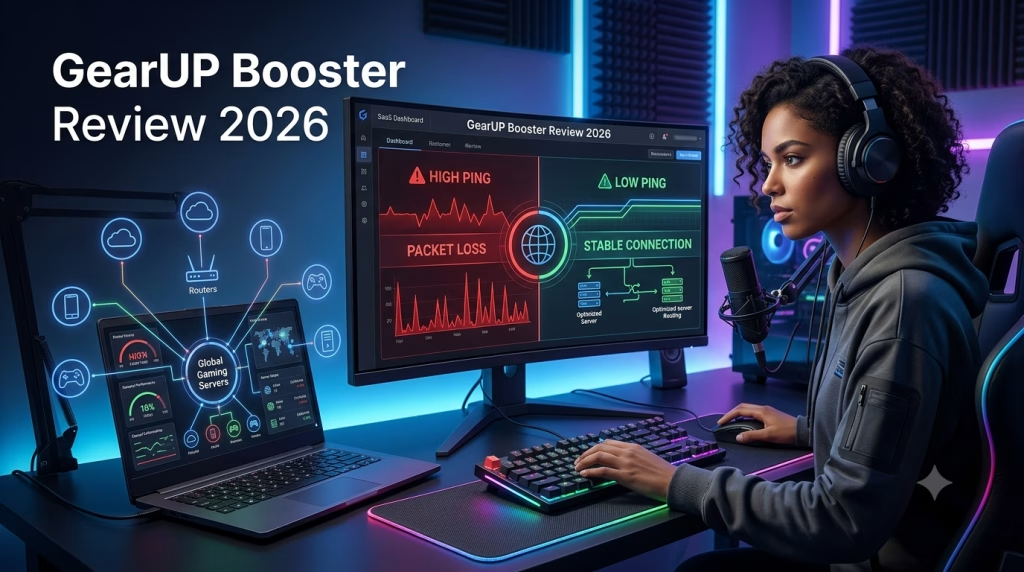
GearUP Booster Review 2026: SaaS Tool for Reducing Gaming Lag
On this blog, I review digital tools, SaaS platforms, web technologies, cybersecurity solutions, and online performance tools that can help creators, businesses, and everyday users solve practical problems. In this review, I am looking at GearUP Booster, a gaming network optimisation tool designed for users who struggle with high ping, packet loss, jitter, and unstable online gameplay.
Introduction
Online gaming has become more than entertainment. For many people, it is now part of content creation, live streaming, esports, digital communities, and even online income. But one problem continues to frustrate gamers and creators everywhere: unstable connection.
You may have a good gaming device and a decent internet plan, yet your game still lags. Your ping jumps. Your connection becomes unstable. Your shots register late. Your stream becomes frustrating. Your gameplay feels delayed even when your speed test looks normal.
That is where gaming network optimization tools come in.
In this review, I am looking at GearUP Booster, a gaming SaaS tool designed to help reduce high ping, packet loss, jitter, and unstable cross-region gameplay. The goal is simple: to help gamers, streamers, and online players enjoy a smoother connection to game servers.
This GearUP Booster review will explain what the tool does, how it works, who should use it, who should avoid it, and whether it is worth trying in 2026.
Affiliate Disclosure: This article contains affiliate links. If you sign up or purchase through our link, we may earn a commission at no extra cost to you. We only recommend tools we believe may be useful based on their features, use cases, and relevance to our readers.
What Is GearUP Booster?

GearUP Booster is a gaming network optimization tool designed to help online gamers reduce connection-related problems such as high ping, packet loss, jitter, lag spikes, and unstable cross-region gameplay.
In simple terms, GearUP Booster helps optimize the route between your device and the game server. When you play an online game, your device does not always connect to the server through the fastest or most stable path. Your internet provider may route your traffic through a congested or inefficient network path, especially when you are connecting to servers outside your country or region.
This is one of the reasons some gamers experience lag even when their internet speed looks normal.
GearUP positions itself as a game booster for PC, mobile, and console players. Its official website says it helps reduce high ping, packet loss, jitter, and cross-region instability, while focusing only on connection optimization and not gameplay changes. GearUP also states that it supports over 3,000 games and has over 8 million monthly active users.
ALSO, READ: 5 Most Secure Messaging Apps 2025: Tested & Ranked
This makes it different from a generic “phone cleaner” or “RAM booster.” GearUP is not mainly about clearing storage or closing background apps. It is more focused on network routing and gaming connection stability.
For gamers, streamers, esports players, and content creators, this can be valuable. Online gaming is no longer only entertainment. Many people now stream their gameplay, create gaming content, join online competitions, and build communities around games. When lag becomes constant, it affects not just gameplay but also content quality and audience experience.
You can check out GearUP Booster here to see whether your preferred game and device are supported.
What Type of SaaS Tool Is GearUP Booster?
GearUP Booster can be understood as a gaming performance SaaS tool or network optimization software.
SaaS simply means “Software as a Service”. Instead of buying a one-time software disc or physical product, users subscribe to or access software that delivers a service. In GearUP’s case, the service is gaming network optimization.
It is not a game itself.
It is not a cheat tool.
It is not a graphics enhancement tool.
It is not a normal VPN built mainly for private browsing.
Its core function is to help gamers improve their connection to game servers.
That is why it fits naturally under a SaaS category on your blog. You are not just reviewing a gaming product; you are reviewing a software tool that solves a specific digital performance problem.
This kind of review also fits your personal brand because your blog can cover digital tools, web software, cybersecurity, SaaS platforms, creator tools, online productivity products, and internet-based solutions.
GearUP belongs in that world because it solves a real problem: unstable online gaming connections.
How Does GearUP Booster Work?
To understand how GearUP works, you need to understand what happens when you play an online multiplayer game.
Every time you move, shoot, pass, jump, dodge, build, or attack in an online game, your device sends data to the game server. The server receives that data, processes it, and sends information back to your device. This happens continuously while you play.
The time it takes for this communication to happen is called a ping.
Lower ping means faster response.
Higher ping means delay.
However, ping is not the only problem. You can also experience packet loss, jitter, server instability, poor routing, and lag spikes.
GearUP tries to reduce these issues by optimizing the network route between your device and the game server. Instead of depending only on your default internet route, GearUP attempts to use optimized routing designed for gaming traffic.
Its Google Play listing says GearUP uses patented server technology and specialized servers worldwide to create a better network environment for gaming.
This does not mean GearUP can perform miracles.
If your internet connection is completely unstable, GearUP may not fully solve the problem. If your device is weak, overheating, or running a game it cannot handle, GearUP may not fix that either. But if your issue is poor routing, high ping, packet loss, jitter, or unstable connection to a game server, GearUP may help.
A good way to understand it is this:
Your internet speed is like the size of the road.
Your routing is like the direction your car takes.
Even with a good road, a bad route can delay you.
GearUP tries to find a better route for your gaming traffic.
Why Online Games Lag Even When Internet Speed Looks Good

Many gamers are confused because they run a speed test and see a good result, but their game still lags.
This happens because gaming does not depend only on download speed.
A speed test may show that you can download files quickly. But online gaming is more sensitive to latency, stability, and response time. You do not need massive download speed to play most online games smoothly, but you do need stable ping and low packet loss.
The most common causes of gaming lag include:
High ping
Packet loss
Jitter
Bad ISP routing
Poor Wi-Fi signal
Congested network
Server distance
Game server issues
Weak device performance
Background apps using bandwidth
Router problems
GearUP is mainly useful for the network-related causes, especially high ping, packet loss, jitter, bad routing, and cross-region instability.
It is not designed to fix every cause of lag. That is why it is important to understand what kind of lag you are experiencing before subscribing to any game booster.
Key Features of GearUP Booster
1. Ping Reduction
Ping is one of the biggest problems in online gaming.
If your ping is high, your actions will feel delayed. You may shoot first on your screen, but the server may register your opponent’s action first. You may press a button and notice a slight delay before the game responds. In competitive games, that small delay can make a big difference.
GearUP is designed to help reduce high ping by improving the route between your device and the game server. Its official website specifically lists high ping as one of the problems it helps reduce.
This is especially useful for gamers who play on foreign servers. For example, a gamer in Nigeria may connect to European or Middle Eastern servers. A gamer in Ghana may connect to Europe. A gamer in Kenya may connect to Asia or the Middle East. Depending on the game, server distance, and poor routing can cause high ping.
GearUP may help in these situations by optimizing the route.
ALSO, READ Best Text-to-Speech 2025: ElevenLabs vs Listnr vs NR
However, results will vary. Your final ping depends on your ISP, location, game server, server load, time of day, and available routing options.
2. Packet Loss Reduction
Packet loss happens when some of your game data fails to reach the server or fails to return properly to your device.
This can make your gameplay feel broken.
You may experience:
Rubberbanding
Delayed shooting
Teleporting characters
Sudden freezing
Unregistered actions
Unexpected disconnections
Unstable movement
Packet loss can be more frustrating than high ping because it makes gameplay unpredictable. A stable 90ms ping may be playable, but a connection with packet loss can feel terrible even if the ping number looks acceptable.
GearUP’s official homepage says the tool helps reduce packet loss, alongside high ping, jitter, and cross-region instability.
For players who experience rubberbanding or unstable gameplay, this is one of the main reasons to test a game booster like GearUP.
3. Jitter Control
Jitter means your ping is unstable.
For example, your ping may move from 60ms to 90ms, then suddenly to 220ms, then back to 70ms. This causes lag spikes.
A stable connection is very important in online gaming. Sometimes, a stable medium ping is better than low ping that keeps jumping up and down.
GearUP is designed to help stabilize gaming connections by improving routing and reducing connection instability. This can be helpful during peak hours when your normal internet route becomes congested.
For gamers, jitter is one of the hidden enemies. Many people only check their ping, but they do not check whether their ping is stable. A ping number that keeps jumping can ruin gameplay even when your average ping looks okay.
4. Cross-Region Gaming Support
Many gamers play with friends in other countries. This is common in games like Fortnite, Warzone, Roblox, PUBG, Mobile Legends, Valorant, Apex Legends, EA FC, and other multiplayer titles.
The problem is that cross-region gaming often increases ping.
If you are in Nigeria and your friends are in Europe, you may need to connect to a European server. If you are in Africa and your preferred game server is in Asia or the Middle East, your ping may naturally be higher because of distance.
GearUP says it helps reduce cross-region instability.
This does not mean distance disappears. The farther the server is, the more difficult it is to achieve a very low ping. But better routing may still improve stability and reduce unnecessary delay.
For African gamers, this is one of the strongest reasons to test GearUP.
5. Multi-Platform Support
GearUP supports multiple platforms, including PC, mobile, and console/router use cases, according to its official website.
That is useful because gamers do not all use the same device.
Some gamers use Windows PCs.
Some use Android phones.
Some use iPhones.
Some use PlayStation.
Some use Xbox.
Some need router-based solutions for console gaming.
This broader support makes GearUP more flexible than tools that only work on one device type.
For your SaaS review angle, this is important. A software product becomes more valuable when it solves the same problem across different platforms.
6. Support for Thousands of Games
GearUP says it supports more than 3,000 games.
This matters because gamers play different types of games.
Some play battle royale games.
Some play first-person shooters.
Some play mobile games.
Some play sports games.
Some play MMORPGs.
Some play MOBA games.
Some play sandbox and social games like Roblox.
Before subscribing, users should still confirm that their specific game is supported. It is better to test the tool with the actual game you play than to assume it will work perfectly for everything.
GearUP Booster Pros and Cons
Pros
GearUP is built specifically for gaming connection optimization.
It focuses on high ping, packet loss, jitter, lag spikes, and cross-region instability.
It supports PC, mobile, and console/router use cases according to its official website.
It supports thousands of games.
It may help gamers whose speed test looks fine but whose game connection still feels unstable.
It may be useful for players connecting to foreign servers.
It is more gaming-focused than a traditional VPN.
It can be helpful for streamers and creators who need stable gameplay.
It gives users a practical way to test whether routing is the cause of their lag.
Cons
GearUP will not work the same way for everyone.
It cannot fix every type of lag.
It may not solve problems caused by weak hardware, overheating, poor graphics settings, or low device performance.
It is not a full privacy VPN replacement.
It may require a paid subscription after any available trial.
Your result depends on your ISP, country, game server, and network conditions.
Some users report mixed results depending on their game and region; for example, a Reddit discussion showed some users saying their GearUP trial results were inconsistent for their specific server situation.
This is why testing is important. GearUP may work well for one player and produce limited improvement for another.
Want to test GearUP Booster?
If your main issue is high ping, packet loss, jitter, or unstable cross-region gameplay, GearUP may be worth testing with your own game and internet provider.
Try GearUP Booster
GearUP Booster vs Traditional VPN
Many people confuse GearUP Booster with a VPN, but they are not the same thing.
A VPN is usually built for privacy, encryption, location masking, and general browsing security. A VPN can hide your IP address, encrypt your internet traffic, and help you browse more privately.
GearUP is different.
GearUP is built mainly for gaming performance. It is not primarily designed to make you anonymous online or protect all your browsing activity like a traditional privacy VPN.
GearUP’s own blog explains that it is a game booster, not a privacy tool. It also explains that users who want anonymous browsing or encrypted internet activity are better served by a VPN, while gamers looking for connection optimization may need a game accelerator.
So, the question is not simply “Is GearUP better than a VPN?”
The better question is the following:
What problem are you trying to solve?
If you want privacy, choose a VPN.
If you want encrypted browsing, choose a VPN.
If you want to hide your IP address for general internet use, choose a VPN.
If you want to reduce gaming ping, packet loss, jitter, and lag spikes, GearUP is more focused on that use case.
A normal VPN can sometimes make gaming worse because it may route your traffic through a server that increases latency. In some cases, a VPN may help if the route is better, but that is not its main purpose.
GearUP is more specific. It exists to improve gaming routes and connection stability.
Who Should Use GearUP Booster?
GearUP Booster may be useful for you if your gaming problem is network-related.
You should consider testing GearUP if:
Your ping is high in online games.
Your ping jumps up and down.
You experience packet loss.
Your game freezes during online matches.
You see rubberbanding.
Your shots register late.
You play on foreign servers.
You play with friends in another country.
You stream or record online gameplay.
Your speed test looks okay, but your game still lags.
Your ISP routing to game servers seems poor.
You play competitive multiplayer games.
You live in a region where nearby game servers are limited.
GearUP is especially relevant for gamers in Nigeria and Africa who often connect to servers outside their region. If your preferred game does not have a close server, your ping may be higher by default. In that case, a routing optimizer may help make the connection more stable.
It may also be useful for content creators. If you create gameplay videos, stream live sessions, or record online matches, a stable connection matters. A laggy game can ruin a recording or livestream.
If this sounds like your situation, you can test GearUP Booster here and compare your gameplay before and after using it.
Who May Not Need GearUP Booster?
GeatUp is not for everyone.
You may not need it if your ping is already low and stable.
You may not need it if you only play offline games.
You may not need it if your issue is caused by weak hardware.
You may not need it if your game is lagging because your graphics settings are too high.
You may not need it if your phone or PC is overheating.
You may not need it if your Wi-Fi signal is weak because your router is too far away.
You may not need it if your internet disconnects completely every few minutes.
You may not need it if the game server itself is having problems.
This is important because gamers use the word “lag” for many different problems.
Sometimes lag means high ping.
Sometimes lag means low FPS.
Sometimes lag means packet loss.
Sometimes lag means overheating.
Sometimes lag means weak hardware.
Sometimes lag means poor Wi-Fi.
Sometimes lag means server downtime.
GearUP is mainly for network connection issues. It is not a replacement for better hardware, better cooling, stronger Wi-Fi, or a more reliable internet provider.
Does GearUP Booster Improve FPS?
FPS means frames per second. It is mostly controlled by your device hardware and game settings.
Your processor, graphics card, RAM, storage, phone chipset, cooling system, and graphics settings all affect FPS.
GearUP is mainly a network optimization tool. Its strongest use case is reducing high ping, packet loss, jitter, and unstable routing.
So, if your game is running slowly because your device is weak, GearUP may not solve that. If your PC cannot handle the game, you may need to lower your graphics settings or upgrade your hardware. If your phone overheats after 10 minutes of gameplay, you may need better cooling, lower settings, or a stronger device.
But if your game runs smoothly offline and only becomes frustrating during online matches, your issue may be network-related. In that case, GearUP becomes more relevant.
A simple way to separate the two is this:
If your game stutters even offline, it may be an FPS or hardware problem.
If your game runs fine offline but delays online, it may be a ping or network problem.
GearUP is more useful for the second situation.
Is GearUP Booster safe?
GearUP appears to be a legitimate software product with an official website and app listings on major platforms. Its Google Play listing describes it as a game booster that uses patented server technology and specialized servers worldwide for stable gaming connections.
However, users should still be careful with any software that affects their internet connections.
Here are safety tips:
Download GearUP only from official sources.
Avoid cracked versions.
Do not download random APK files from unknown websites.
Read the subscription terms before paying.
Check whether there is a free trial.
Test it with your actual game.
Cancel before renewal if it does not work for you.
Avoid unrealistic expectations.
This is the safe way to approach any SaaS product or paid software tool.
How to Test GearUP Booster Properly
The best way to know whether GearUP works for you is to test it with your own game, your own internet provider, and your own server region.
Do not judge only by someone else’s review.
Here is a simple testing method:
First, open your game without GearUP.
Check your normal ping.
Play one or two matches.
Pay attention to lag spikes, packet loss, freezing, and disconnections.
Write down your experience.
Then turn on GearUP.
Select your game.
Choose the correct server region.
Play the same game mode.
Use the same internet connection.
Test for at least a few matches.
Compare the difference.
Ask yourself:
Did my ping reduce?
Did my ping become more stable?
Did packet loss reduce?
Did lag spikes reduce?
Did the game feel smoother?
Did I disconnect less often?
Was the improvement worth paying for?
This testing method is important because results can vary. A tool like GearUP may work very well for one game and produce less improvement for another. It may also work better with one ISP than another.
For a fair review, always test before and after.
GearUP Booster for Nigerian and African Gamers
For gamers in Nigeria and many parts of Africa, online gaming can be difficult because many game servers are located far away.
Depending on the game, the nearest server may be in Europe, the Middle East, Asia, or South Africa. If you are connecting from Nigeria to a European server, your ping may naturally be higher than someone playing from Europe.
But distance is not the only issue.
ISP routing also matters.
Two players in the same city can connect to the same game server and get different pings because their internet providers use different routes. One provider may have better international routing. Another may send traffic through a longer or more congested path.
This is where a gaming network optimization tool may help.
GearUP will not remove the physical distance between Nigeria and the server, but it may help reduce unnecessary routing problems and improve connection stability.
For Nigerian gamers who play Fortnite, Warzone, PUBG, Mobile Legends, Roblox, Free Fire, EA FC, Apex Legends, Valorant, or other online games, GearUP may be worth testing if lag is a regular issue.
This also applies to African streamers and gaming creators. If you are trying to create gaming content, a laggy connection can affect both gameplay and recording quality.
Common Problems GearUP May Help With
High Ping
High ping causes delayed responses between your device and the game server.
GearUP may help if the high ping is caused by poor routing or unstable connection paths.
Packet Loss
Packet loss causes missing or incomplete data transmission.
GearUP may help reduce packet loss if the issue is related to unstable routing.
Lag Spikes
Lag spikes happen when your connection suddenly becomes unstable.
GearUP may help if your normal route is congested or inconsistent.
Cross-Region Instability
Playing with people in other countries can increase the delay.
GearUP may help make cross-region gaming smoother by optimizing routes.
Rubberbanding
Rubberbanding happens when your character suddenly jumps backward or moves strangely.
This is often caused by packet loss or unstable ping.
GearUP may help if the cause is network-related.
Problems GearUP May Not Fix
Weak Device Performance
If your phone or PC cannot run the game properly, GearUP will not replace better hardware.
Overheating
If your device overheats, your game may stutter or slow down.
GearUP is not a cooling tool.
Poor Wi-Fi Signal
If your router is far away or your signal is weak, your connection may still be unstable.
Try moving closer to the router or using Ethernet where possible.
Game Server Issues
If the game server itself is down, overloaded, or undergoing maintenance, GearUP may not solve the issue.
ISP Outages
If your internet provider is having a major outage, GearUP may not fix the connection.
Low FPS
If your main problem is low FPS, you may need to lower game settings, update drivers, close background apps, or upgrade your device.
GearUP Booster Pricing: Is It Worth Paying For?
GearUP pricing may change, so users should always check the official website or app for current plans before subscribing.
The real question is not only “How much does GearUP cost?”
The better question is:
Does it improve your gaming experience enough to justify the cost?
For casual gamers who play once in a while, a paid game booster may not be necessary.
But for regular gamers, competitive players, streamers, and people who constantly play on foreign servers, a tool that reduces lag and stabilizes connection may be worth testing.
The best approach is simple:
Test it first.
Compare your gameplay.
Check if your ping improves.
Watch for fewer lag spikes.
Decide based on your actual result.
Do not pay for any SaaS tool only because of marketing claims. Pay because it solves your specific problem.
Final Verdict: Is GearUP Booster Worth It in 2026?
GearUP Booster is worth trying if your main gaming problem is high ping, packet loss, jitter, lag spikes, or unstable cross-region connections.
It is especially relevant for online gamers who play multiplayer games, connect to foreign servers, stream gameplay, or create gaming content.
It is not magic. It will not fix every problem. It will not upgrade your device. It will not replace a reliable internet provider. It will not guarantee perfect ping for every user.
But as a gaming network optimization SaaS tool, GearUP has a clear use case.
It is designed for gamers who require improved connection stability.
If your internet speed looks okay but your game still lags, GearUP may be worth testing. If your gameplay becomes smoother, your ping becomes more stable, and your packet loss reduces, then it may be a useful tool for your setup.
The best approach is to test it with your own device, ISP, country, and game server.
Reduce gaming lag with GearUP:
Gaming lag can be frustrating, especially when your internet speed looks fine but your game still delays, freezes, or disconnects.
In many cases, the problem may not be speed alone. It may be high ping, packet loss, jitter, poor routing, or cross-region instability.
GearUP Booster is a gaming SaaS tool designed to help optimize your connection to game servers and improve online gaming stability.
Frequently Asked Questions
Is GearUP Booster a VPN?
No. GearUP is not a traditional privacy VPN. It is a game booster focused on gaming connection optimization. A VPN is better for privacy and encrypted browsing, while GearUP is more focused on reducing gaming lag, high ping, packet loss, and unstable routing.
Can GearUP reduce ping?
GearUP is designed to help reduce high ping by optimizing game routing. However, results vary depending on your ISP, location, game server, and current network condition.
Does GearUP work for mobile games?
Yes. GearUP supports mobile gaming, and its official site includes mobile as one of its supported platforms.
Does GearUP work for PC games?
Yes. GearUP supports PC gaming and provides a Windows download option on its official website.
Does GearUP work for console games?
GearUP’s official website mentions console/router use cases, which may help console players depending on their setup.
Is GearUP good for Nigerian gamers?
It may be useful for Nigerian gamers who struggle with high ping, packet loss, or unstable connections when playing on foreign servers. The best approach is to test it with your actual game and ISP.